87% off ends soon!
 ChatGPT and Claude Now Analyze Your Email Automations, Message by Message
By Sean Tinney August 25, 2026
Every automation you’ve built keeps working long after you’ve stopped thinking about it. That’s the point of automation, but it’s also why most people never find out if a workflow is actually converting as well as it could.
Now you can just ask. Through AWeber MCP, the AWeber app for ChatGPT and the AWeber connector for Claude read your automations the way you’d walk through them yourself: every trigger, every message, every branch.
Ask about any automation and get a real analysis back. What’s working. What’s not. And exactly what to improve. All without opening AWeber.
Know exactly which email to improve
ChatGPT and Claude break down how the automation is performing: what’s working, what’s not, and exactly where the opportunity is.
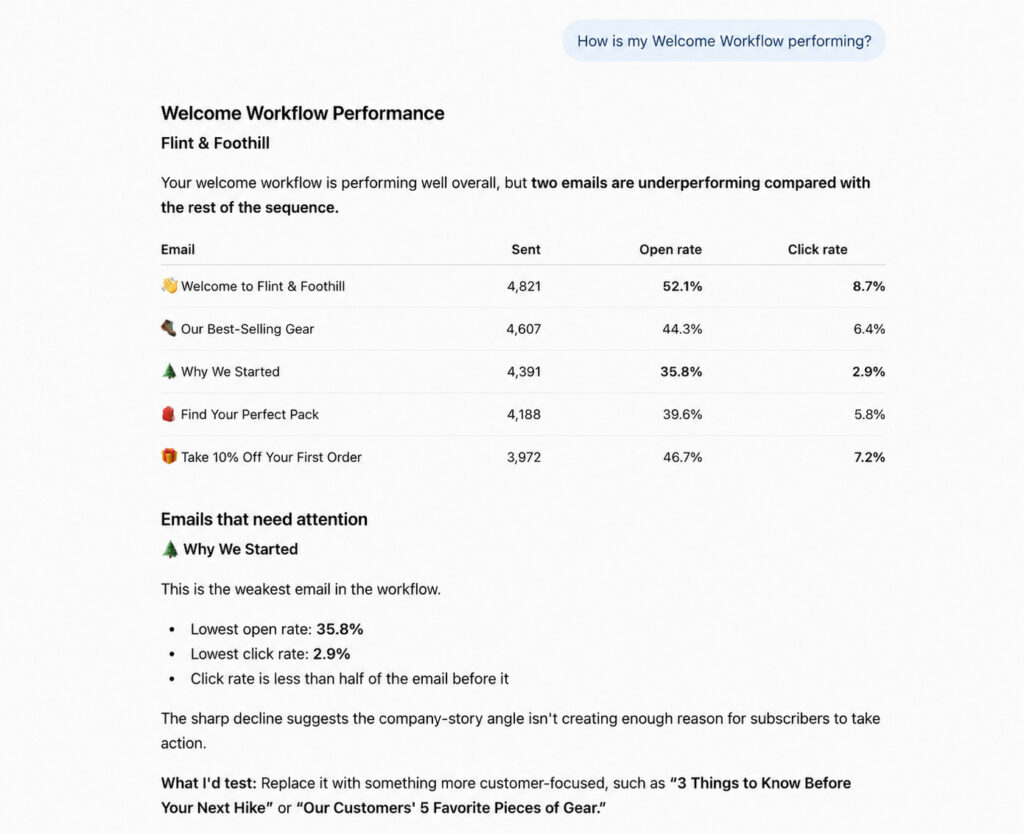
You can ask for an analysis to see the exact step where engagement drops the most. So instead of guessing which email is losing people, you know precisely where it happens.
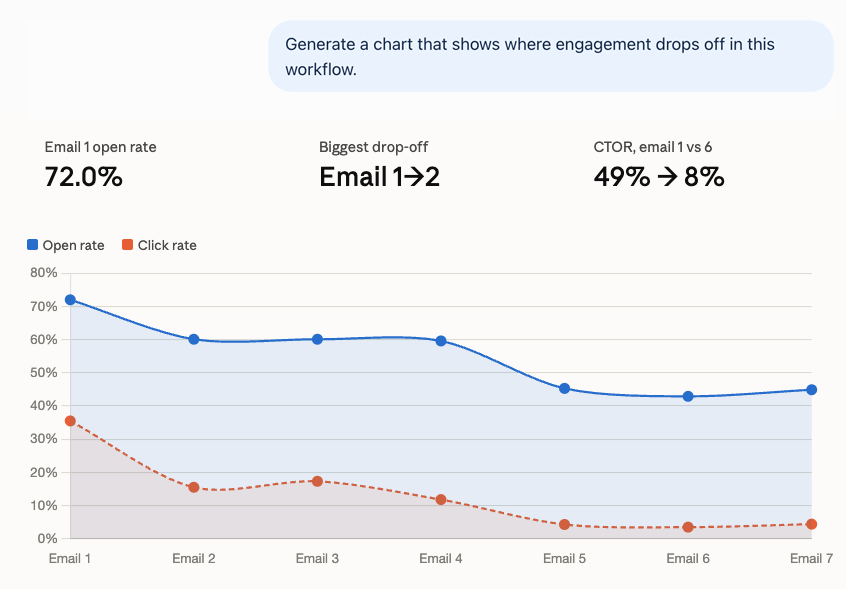
Catch list health issues before they spread
Ask about unsubscribes, bounces, and complaints for any message in the Workflow, and you can catch a message quietly hurting your list before it affects the rest of your sends.
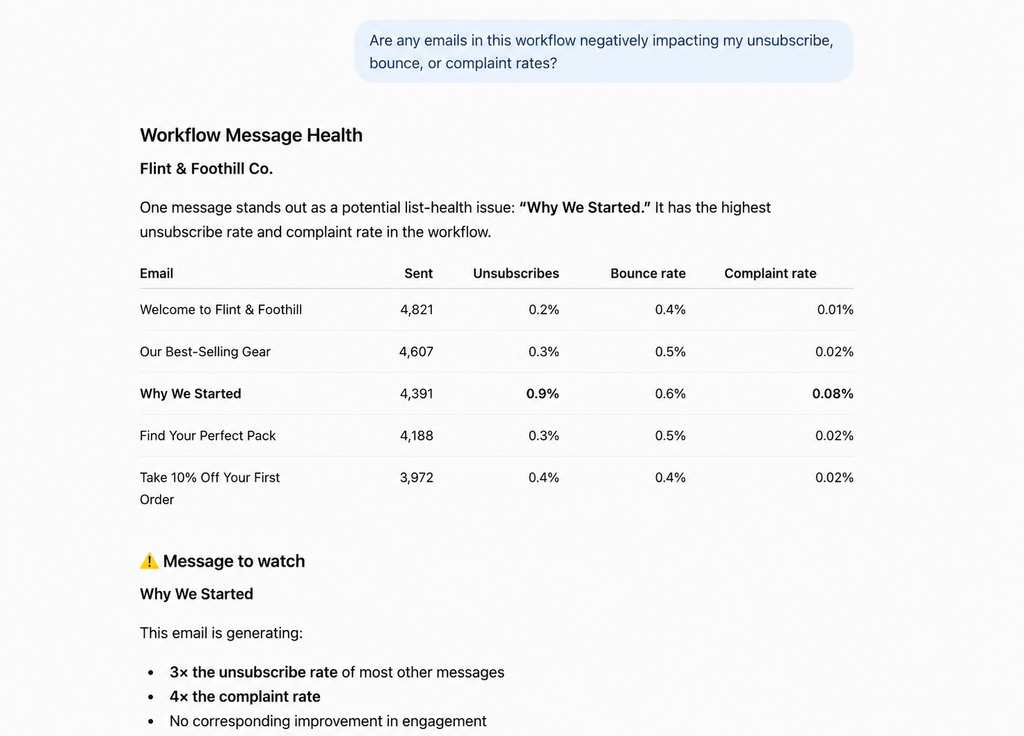
Find out what your subscribers actually click
If your automation links to a few different products, offers, or pages, ask which one is getting clicked.
Know what subscribers actually want, so you know what to feature next.
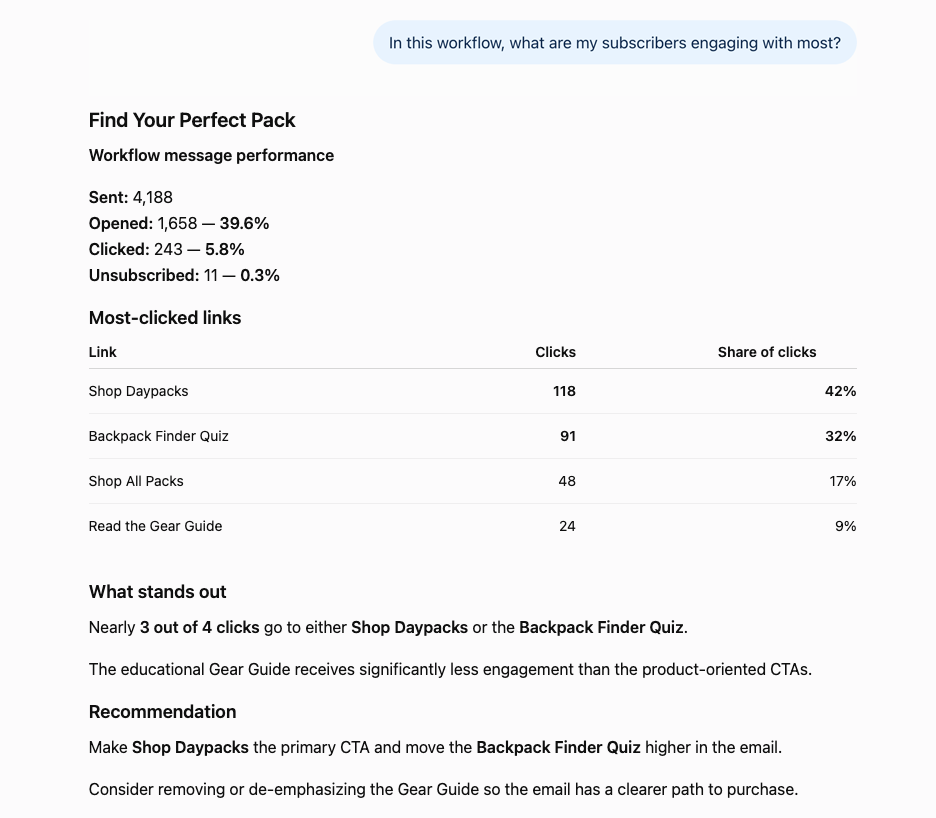
See every Workflow at a glance
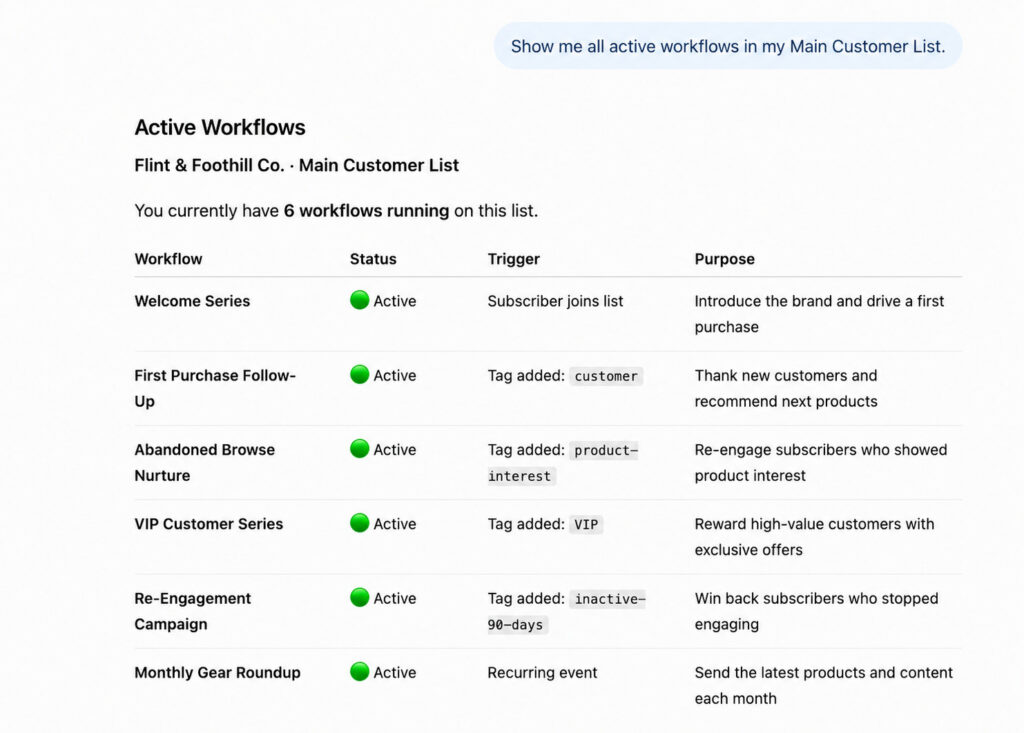
Ask ChatGPT to list every workflow running on a list, and you get the full picture of what’s live without opening AWeber to check.
See the path every subscriber takes
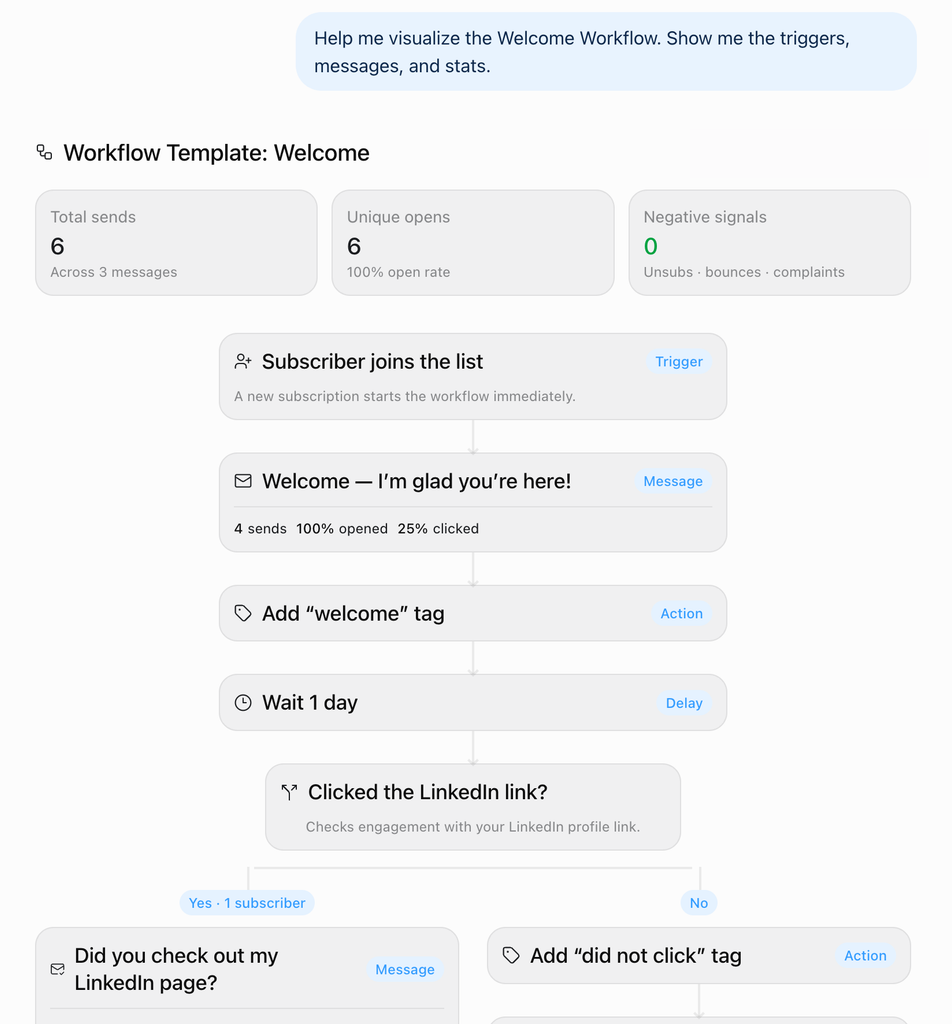
You can ask ChatGPT or Claude for visual of your Workflow. It will show every trigger, every branch, every message in order.
Get started
If you’re already connected to the AWeber app for ChatGPT or AWeber connector for Claude there’s nothing new to set up. Open ChatGPT or Claude and ask about an automation you’re running today.
If you haven’t connected yet, search AWeber in ChatGPT’s App Directory, or Claude Connector.
For more on how the each works end to end, see Connecting Your AWeber Account to ChatGPT and Claude.