


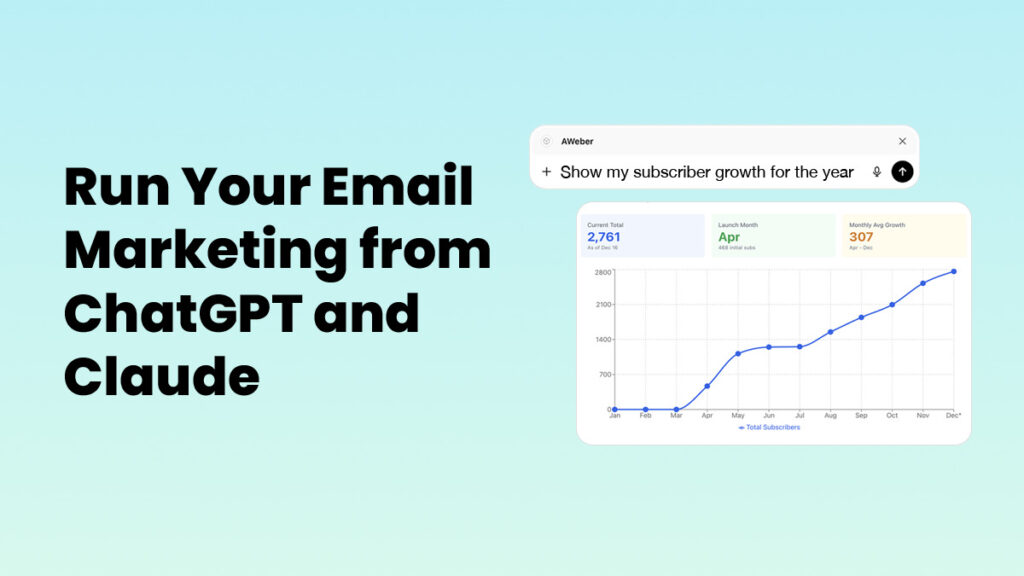
What if you could run your entire email marketing operation from ChatGPT or Claude?
AWeber connects directly to ChatGPT and Claude. Link your account once. Then manage everything conversationally. Write campaigns, analyze performance, manage subscribers, create forms—without switching tools.
What You Can Do With AWeber MCP
📊 Understand what’s driving your results
Do you know your data is telling you something, but you’re not sure what?
Ask ChatGPT or Claude to analyze your campaigns:
- “Which of my last 10 emails got the highest engagement? What did they have in common?”
- “My open rates dropped this month. What might be causing it?”
- “Compare my urgency-focused subject lines to my curiosity-focused ones. Which performs better?”
AI reviews your actual campaigns. You get insights in seconds, not hours.
Get insights you might miss reviewing dashboards yourself.
✍️ Write emails based on what’s already working
Starting from scratch every time you write an email?
Let AI write new campaigns based on your past performance:
- “Look at my best-performing broadcasts and write a new email following those patterns”
- “Write a welcome email using the tone from my highest-engagement broadcasts”
- “My last product launch underperformed. Write a better version based on my successful product emails”
AI understands what resonates with your audience. It creates content that matches.
👥 Manage your list without opening AWeber
Constantly switching tabs to update subscribers?
Handle list management conversationally:
- “Add sarah@example.com to my Newsletter list with the ‘lead’ tag”
- “Show me everyone who subscribed in the last 7 days”
- “Move subscribers with the ‘trial-expired’ tag to my Re-engagement list”
- “How many subscribers have the ‘customer’ tag?”
Manage your entire list by describing what you want. No clicking. No menus.
📝 Create signup forms through conversation
Need a signup form but don’t want to deal with form builders?
Describe what you want. AI generates the code:
- “Create a signup form for my fitness newsletter with fields for name and email”
- “Build a form that adds subscribers to my Workshop list with the ‘webinar-attendee’ tag”
- “Generate a simple newsletter signup form for my homepage”
Get ready-to-use HTML forms. No form builder required.
📈 Make decisions faster
When you’re planning your next campaign, AI provides context:
- “I’m writing about our new service. Show me how my last three service announcements performed and recommend an approach”
- “Should I send this campaign on Tuesday or Thursday? What does my data say?”
- “What’s my average open rate for the past month? What changed?”
Stop hunting for data. Start making informed decisions instantly.
How It Works
The AWeber MCP uses Model Context Protocol, a bridge that lets AI tools talk directly to your AWeber account.
Connect your AWeber account to ChatGPT or Claude once. After that, AI can access your subscriber data, campaign analytics, and list management tools.
You work conversationally. Ask questions. Request actions. Get strategic recommendations. No jumping between apps.
AI sees your complete performance picture. It helps you execute based on your actual results.
How to Get Started
Connect ChatGPT
1. Visit the AWeber app in the ChatGPT App Directory
2. Click Connect and authenticate with your AWeber account
3. Start asking
AWeber is one of the first email marketing tools in the ChatGPT App Marketplace.
Connect Claude
1. Go to claude.ai
2. Follow these instructions from Claude to add a custom connector. The URL of the AWeber server is https://mcp.aweber.com/mcp. You will be prompted to authenticate your AWeber account and select the account you would like to connect.
3. Start asking